
Download HouseCall – Free Online Security Scan Tool for Windows, Mac, Android & iOS
Overview
HouseCall, developed by Trend Micro, is a comprehensive online security and privacy solution designed to keep home networks safe from the ever‑growing wave of cyber threats. Unlike traditional antivirus programs that focus only on the local computer, HouseCall extends its protective reach to every device that shares your Wi‑Fi—smartphones, tablets, smart TVs, gaming consoles, and even IoT gadgets. The software continuously scans for known malware such as spyware, worms, and viruses, while also digging deeper to uncover hidden rootkits and fileless threats that often evade conventional detection engines.
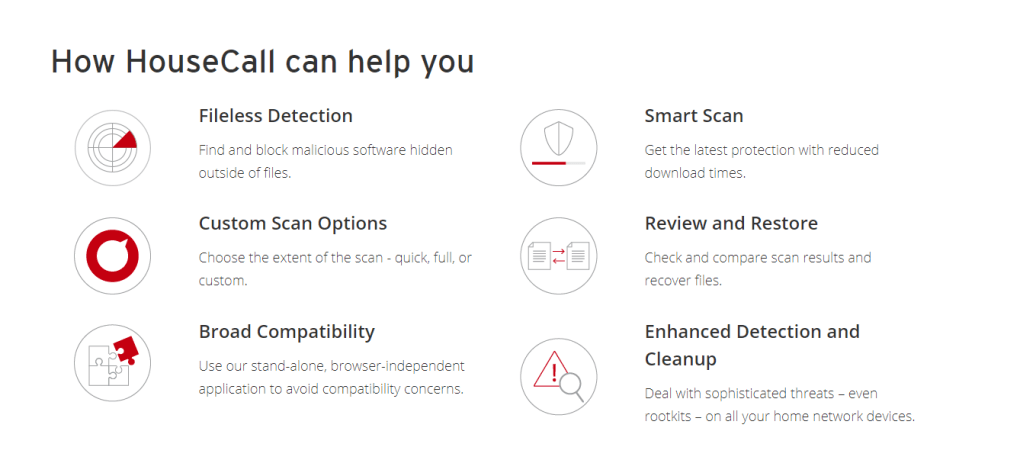
With its real‑time “Fileless Detection” technology, HouseCall can spot malicious code that resides in memory or encrypted streams, ensuring that even the most sophisticated attacks are neutralized before they can cause damage. Users benefit from three flexible scanning modes: a quick daily tune‑up, a full deep‑scan for thorough analysis, and a custom scan that targets specific folders or network devices. After each scan, the tool presents a clear, color‑coded report, offers one‑click removal of infections, and even restores files that were mistakenly flagged.
In addition to malware protection, HouseCall includes a suite of ransomware‑recovery utilities, such as Trend Micro’s Ransom Buster, which can unlock encrypted files and dismantle lock‑screen ransomware attempts. For power users, the open‑source HijackThis utility provides granular insight into registry and file settings, while optional Trend Micro widgets (Rootkit Buster, Fraud Buster, etc.) allow you to tailor the security suite to your exact needs. Whether you’re a casual web surfer or a tech‑savvy household with dozens of connected devices, HouseCall delivers a lightweight, stand‑alone experience that works alongside any browser without causing compatibility issues.
Its smart scanning engine ensures minimal download time, while its intuitive interface makes advanced security accessible to anyone looking to safeguard their digital life.
Key Features of HouseCall
- Multi‑Device Network Scan: Detects malware, rootkits, and vulnerabilities across all devices on your local network, not just the host computer.
- Fileless Detection Engine: Identifies malicious code that resides in memory or encrypted streams, providing protection against advanced, file‑less attacks.
- Three Scan Options: Quick Scan for daily checks, Full Scan for deep system analysis, and Custom Scan to target specific folders or devices.
- Ransomware Recovery Tools: Integrated Ransom Buster removes lock‑screen ransomware and helps recover encrypted files without paying a ransom.
- HijackThis Utility: Open‑source diagnostic tool that reveals detailed registry and file settings, empowering users to troubleshoot complex issues.
- Trend Micro Widgets: Optional add‑ons such as Rootkit Buster, Fraud Buster, Maximum Security, and Internet Security expand protection layers.
- Standalone Operation: Runs independently of web browsers, eliminating compatibility conflicts and ensuring smooth performance.
- Smart Scanning Speed: Optimized algorithms reduce download and scan times while maintaining up‑to‑date threat intelligence.
- Clear Reporting & One‑Click Remediation: Generates easy‑to‑read results, offers instant removal of threats, and restores safe files with a single click.
- Free & Secure Updates: Receives regular, encrypted definition updates at no cost, keeping protection current against emerging threats.
Installation & Usage Instructions
Getting HouseCall up and running is intentionally straightforward, allowing users of any technical level to benefit from robust security in just a few minutes. Begin by visiting the official Trend Micro website and clicking the prominent “Download HouseCall” button. The installer is a small, self‑extracting .exe for Windows or a .dmg for macOS; Android and iOS users can find the app directly in the Google Play Store or Apple App Store. Once the file is downloaded, launch the installer and follow the on‑screen prompts: accept the license agreement, choose a destination folder (the default works well for most users), and click “Install.” The process typically completes within 30 seconds on a standard broadband connection.
After installation, launch HouseCall from the desktop shortcut or the applications menu. The first run triggers an automatic update of the malware definition database—this step is crucial because it ensures the engine has the latest signatures before any scan begins. Once updated, you’ll be presented with the main dashboard, which displays three primary buttons: Quick Scan, Full Scan, and Custom Scan.
For most households, the Quick Scan is an ideal daily habit; it checks the most common infection points (startup folders, browser caches, and active network connections) in under two minutes. If you suspect a deeper issue—perhaps after visiting a risky website or downloading an unfamiliar file—select Full Scan. This thorough mode examines every accessible drive, system registry, and network device, and while it can take up to 20‑30 minutes on larger systems, the smart engine pauses non‑essential background tasks to keep your computer responsive.
The Custom Scan option caters to power users who want to target specific folders, such as a newly added external hard drive or a shared network folder. Simply click “Custom,” then browse to the desired location and start the scan. Throughout any scan, HouseCall provides a real‑time progress bar, a count of detected items, and a brief description of each threat. Once the scan finishes, a detailed report appears, categorizing findings by severity and offering three actions: “Quarantine,” “Delete,” or “Restore.” For ransomware incidents, the “Ransom Buster” button becomes active, guiding you through the decryption and recovery process. Finally, you can schedule automatic scans to run at convenient times (e.g., nightly at 2 AM) via the Settings menu, ensuring continuous protection without manual intervention.
Compatibility, Pros and Cons
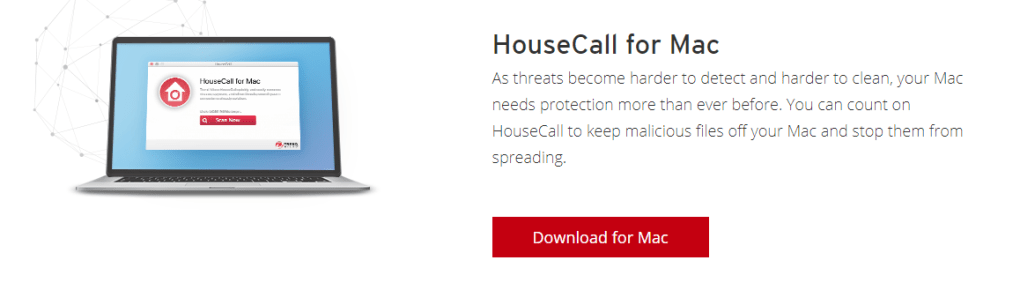
HouseCall is built to operate on the most common consumer platforms. The Windows version supports Windows 10, Windows 11, and Windows 8.1 (both 32‑bit and 64‑bit). The macOS build runs on macOS 10.15 Catalina and later, covering Apple Silicon and Intel architectures.
Mobile users can download the Android app for Android 8.0 Oreo and newer, while iOS users need iOS 13 or later. Trend Micro also offers a lightweight web‑based console that can be accessed from any modern browser, providing an additional layer of flexibility for devices that cannot install native software (e.g., certain smart TVs or embedded systems). This broad OS coverage ensures that virtually every device in a typical home can benefit from HouseCall’s scanning capabilities.
Pros
- Free, no‑cost protection with regular definition updates.
- Network‑wide scanning reaches smartphones, tablets, and IoT gadgets.
- Fileless detection catches advanced, memory‑resident threats.
- Built‑in ransomware recovery tools reduce the need for third‑party utilities.
- Standalone operation avoids browser compatibility problems.
- Customizable widget ecosystem lets users expand functionality as needed.
- Intuitive UI makes complex security tasks accessible to non‑technical users.
- Low system impact thanks to smart scanning algorithms.
- Detailed, color‑coded reports simplify threat assessment.
- One‑click remediation and file restoration streamline cleanup.
Cons
- Free version lacks real‑time protection; users must run manual scans.
- Advanced features (e.g., continuous background monitoring) are reserved for paid Trend Micro suites.
- Mobile apps provide fewer options compared to desktop counterparts.
- No built‑in VPN, which some competitors bundle with their free tier.
- Support is community‑based for the free edition; priority support requires a paid plan.
Review Summary: HouseCall delivers impressive network‑wide scanning and ransomware recovery at zero cost, making it an excellent first line of defense for households. Its main limitation is the absence of continuous real‑time monitoring, which may push power users toward a paid Trend Micro solution.
Frequently Asked Questions
Is HouseCall really free?
Yes, HouseCall can be downloaded and used at no cost. All core scanning features, ransomware recovery tools, and definition updates are completely free. Advanced real‑time protection and premium widgets are available in paid Trend Micro suites.
Can HouseCall protect my Android phone?
The Android version scans installed apps, downloads, and external storage for malware and can perform quick or full scans. While it does not offer continuous background monitoring in the free tier, it still provides valuable on‑demand protection.
How does HouseCall detect rootkits on my router?
HouseCall’s network module pings each connected device, queries open ports, and checks firmware versions against a known‑vulnerability database. If a rootkit or outdated firmware is detected, the tool recommends a firmware update or provides step‑by‑step remediation.
Will HouseCall slow down my computer during a full scan?
The smart scanning engine prioritizes system responsiveness by throttling CPU usage and temporarily pausing non‑essential background tasks. Most users notice only a slight performance dip on older hardware, while modern systems remain largely unaffected.
Do I need an internet connection for HouseCall to work?
An internet connection is required for the initial download and for receiving regular definition updates. Once the latest database is installed, you can run offline scans, but new threats discovered after the last update won’t be detected until you reconnect.
Conclusion & Call to Action
HouseCall stands out as a free, network‑aware security solution that bridges the gap between basic antivirus tools and full‑blown enterprise suites. Its ability to scan across all devices, detect fileless malware, and offer built‑in ransomware recovery makes it a compelling choice for families and small home offices seeking robust protection without a subscription fee. While the lack of continuous real‑time monitoring may be a drawback for power users, the software’s low system impact, intuitive interface, and regular free updates provide excellent value for everyday browsing and file safety. If you’re looking for a straightforward way to harden your home network, clean up existing infections, and gain peace of mind, HouseCall is ready to help. Download HouseCall today, run an initial full scan, and start protecting every device connected to your home Wi‑Fi—completely free and securely.







